
For checking an Ubuntu version, the quickest safe answer is still lsb_release -a or cat /etc/os-release; Neofetch and Inxi are better when a fuller system snapshot is needed. Ubuntu LTS releases arrive every two years, so version checks matter for support, upgrades, and package fixes [source: Ubuntu]. Neofetch gives a clean visual summary. Inxi gives deeper hardware and driver detail.
TLDR: Neofetch is best when a user wants a quick, readable Ubuntu summary for a forum post or screenshot. Inxi is better for troubleshooting because it can show CPU, GPU, network, audio, kernel, repos, and driver data in one command. For example, a help desk checking 50 Ubuntu laptops could use inxi -Fxxx to collect richer reports, while Neofetch may save about 10 seconds per machine when only the Ubuntu version and desktop session are needed. If the task is only “which Ubuntu release is this?”, cat /etc/os-release is faster than both.
What Each Tool Actually Does
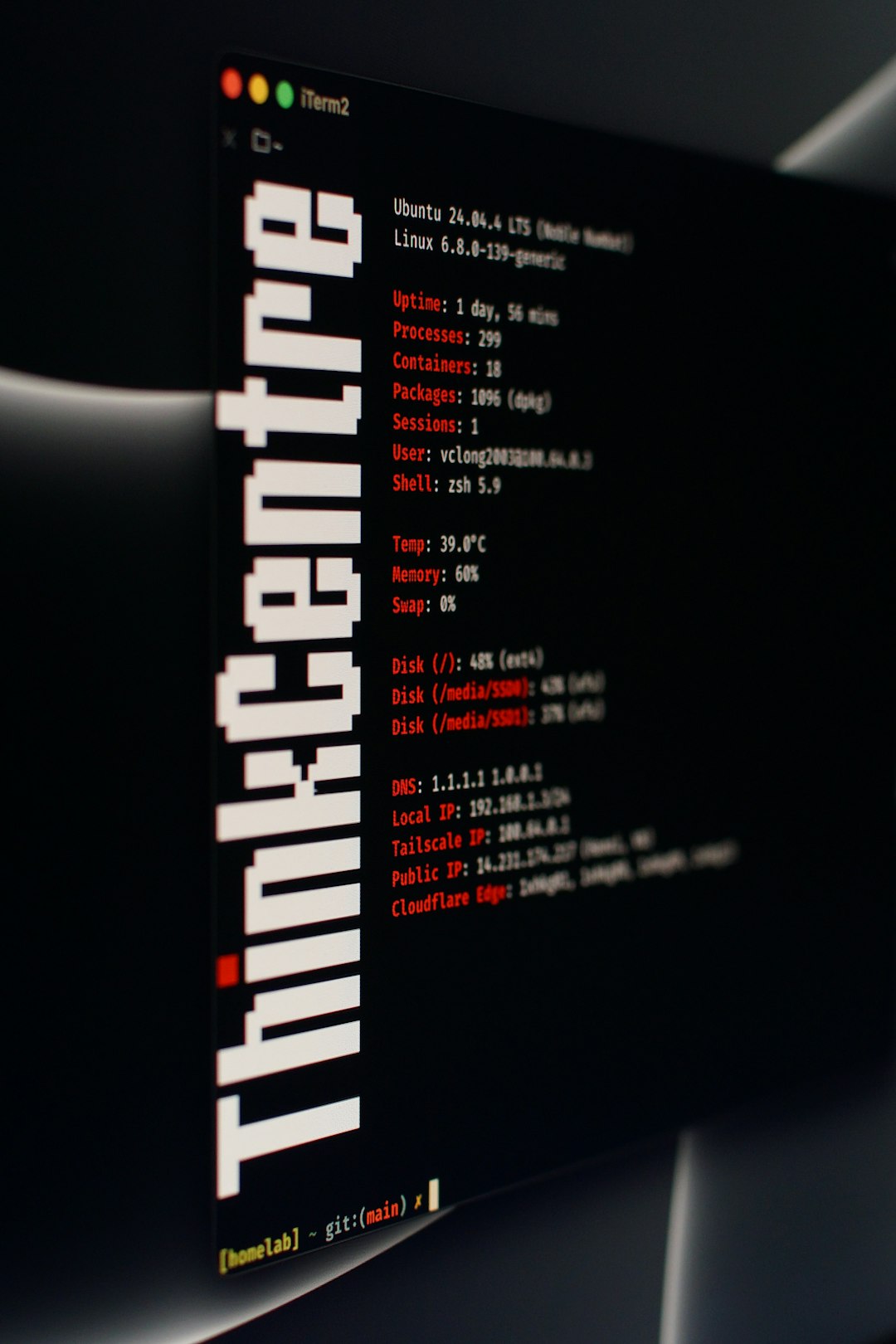
Neofetch is a system info tool known for its neat terminal output and ASCII logo. It shows the OS, kernel, uptime, packages, shell, desktop environment, theme, icons, CPU, GPU, memory, and resolution. It is simple, attractive, and easy to read.
Inxi is more serious. It is built for support work. It can show full hardware data, graphics details, audio devices, drives, partitions, sensors, repositories, machine info, and network status. It looks less pretty, but it answers more questions.
Checking the Ubuntu Version the Plain Way
Before comparing tools, the plain commands deserve a mention. They are boring, but they work.
cat /etc/os-releaseshows Ubuntu version, codename, and related release fields.lsb_release -aprints distributor ID, description, release number, and codename.hostnamectlshows OS, kernel, machine type, and boot info.
Honestly, it feels like many users install extra tools before trying the built-in command that takes less than one second. For pure Ubuntu version checks, that is wasted effort.
Neofetch for Ubuntu Version Checks
Neofetch is useful when the result needs to be shared with others. A user can run:
neofetchThe output is clean. It works well in screenshots. It gives enough context for a support forum, Discord post, or personal notes. If a user is comparing desktop setups, Neofetch also shows the desktop environment and theme, which normal version commands do not.
The catch is that Neofetch has become less ideal for future-focused work. Its GitHub repository was archived in 2024 [source: GitHub]. The tool can still work, but users should not expect active fixes forever. That matters when newer hardware, display servers, or desktop changes appear.
Best use: quick visual summaries and simple screenshots.
Weak spot: limited detail for real debugging.
Inxi for Ubuntu System Information
Inxi is the stronger choice when something is broken. A support technician may ask for:
inxi -FxxxThat command can show deep system details. It can also expose missing drivers, odd GPU setups, bad audio detection, weak network adapters, and storage issues. That is why many Linux forums prefer Inxi output over a screenshot.
Inxi can be installed with:
sudo apt install inxiFor a shorter version check, this works:
inxi -SThat displays system basics like host, kernel, desktop, distro, and architecture. It is not as pretty as Neofetch, but it is more useful when the goal is to fix a machine.
Neofetch vs Inxi: Which One Should Be Used?
- For speed: built-in commands win.
cat /etc/os-releaseis the fastest path. - For screenshots: Neofetch is better. It is clean and readable.
- For support tickets: Inxi wins. It shows more useful data.
- For hardware checks: Inxi is far better.
- For casual desktop sharing: Neofetch still feels nicer.
A practical workflow is simple. First, an Ubuntu user runs cat /etc/os-release. If more context is needed, Neofetch can provide a quick view. If the problem involves Wi-Fi, graphics, audio, drives, or drivers, Inxi should be used instead.
System reporting often sits beside other setup choices. For example, when documenting a fresh workstation, a user may record the OS version, GPU, browser, and desktop environment. Browser choice can matter too, especially when comparing Chrome on Ubuntu with Firefox for Linux browsing.
Simple Recommendation
Use the built-in Ubuntu commands for the version number. Use Neofetch when the output needs to look good. Use Inxi when the output needs to solve a problem.
That split keeps things sane. It also avoids the annoying habit of sending a pretty screenshot when the person helping actually needs driver names, kernel details, and device IDs.
FAQ
-
What is the fastest way to check an Ubuntu version?
The fastest method iscat /etc/os-release. It is built into Ubuntu and needs no extra install. -
Is Neofetch still good for Ubuntu?
Neofetch still works for many users. It is best for a quick visual summary, but it is not the best tool for deep support work. -
Is Inxi better than Neofetch?
Inxi is better for troubleshooting. Neofetch is better for simple screenshots and clean display. -
Which Inxi command shows Ubuntu system details?
inxi -Sshows basic system information.inxi -Fxxxgives a much fuller report. -
Does an Ubuntu user need both tools?
Not always. For version checks, no. For sharing a nice summary and also fixing hardware problems, having both can be useful.