

Every organization now lives in a world where data is both a strategic asset and a potential liability. Customer records, payment information, intellectual property, legal documents, analytics data, and internal communications all need to be stored somewhere—and that “somewhere” must be protected against theft, loss, misuse, and noncompliance. Secure storage tools are the technologies and practices that help businesses keep sensitive information safe while meeting legal, industry, and contractual requirements.
TLDR: Secure storage tools protect sensitive data through encryption, access controls, backups, monitoring, and compliance features. They help organizations reduce the risk of breaches, ransomware damage, accidental deletion, and regulatory penalties. The best solutions combine strong security with usability, scalability, and clear governance. Choosing the right tool depends on your data types, risk level, compliance obligations, and operational needs.
Why Secure Storage Matters More Than Ever
Data storage used to be a simple infrastructure decision: buy servers, add disks, create folders, and back up everything periodically. Today, the stakes are higher. Businesses operate across cloud platforms, remote teams, mobile devices, third-party applications, and global markets. As a result, sensitive information is spread across more locations than ever before.
A single misconfigured storage bucket, weak password, abandoned database, or unencrypted laptop can expose thousands—or millions—of records. Beyond financial loss, the consequences can include reputational damage, customer churn, lawsuits, regulatory fines, and operational disruption. For regulated industries such as healthcare, finance, legal services, education, and government contracting, secure storage is not optional; it is a baseline requirement.
Good storage security is not just about locking data away. It is about ensuring that the right people can access the right information at the right time, while unauthorized users, attackers, and accidental errors are kept out.

Core Features of Secure Storage Tools
While secure storage solutions vary widely, the strongest platforms typically share several essential capabilities. These features work together to protect data throughout its lifecycle: when it is created, stored, accessed, shared, archived, and eventually deleted.
- Encryption at rest: Data is encrypted while stored on disks, servers, databases, or cloud environments, making it unreadable without the correct keys.
- Encryption in transit: Data is protected as it moves between users, applications, devices, and storage systems.
- Access control: Permissions define who can view, edit, download, share, or delete specific files and records.
- Identity integration: Secure storage tools often connect with identity providers to support single sign-on, multi-factor authentication, and centralized user management.
- Audit logging: Activity logs track who accessed data, what actions were taken, and when events occurred.
- Backup and recovery: Protected copies of data help organizations recover from deletion, corruption, outages, or ransomware attacks.
- Data retention policies: Rules ensure that information is kept only as long as required and deleted securely when no longer needed.
- Compliance reporting: Built-in dashboards and reports help demonstrate adherence to regulatory and security standards.
Encryption: The Foundation of Data Protection
Encryption is one of the most important elements of secure storage. It transforms readable data into encoded information that can only be restored with a cryptographic key. If an attacker steals encrypted data but does not have the key, the stolen information is far less useful.
There are two main areas to consider. Encryption at rest protects stored data, whether it resides in a database, object storage platform, file server, backup repository, or endpoint device. Encryption in transit protects data moving across networks, such as when users upload files, sync folders, query databases, or transfer backups.
However, encryption is only as strong as its key management. Organizations should understand who controls encryption keys, how often they rotate, where they are stored, and whether administrators can access encrypted content. In highly regulated environments, companies may prefer tools that support customer-managed keys, hardware security modules, or zero-knowledge encryption models.
Access Controls and the Principle of Least Privilege
Many data incidents are not caused by elite hackers but by excessive access. Employees may retain permissions after changing roles, contractors may keep access after a project ends, and shared folders may become dumping grounds for sensitive files. Secure storage tools reduce this risk by enforcing the principle of least privilege: users receive only the access they need to perform their jobs.
Role-based access control is common, allowing administrators to define permissions by job function. Attribute-based access control goes further by considering factors such as department, location, device posture, data classification, or risk level. Some platforms also offer time-limited access, password-protected sharing links, watermarking, and download restrictions.
For sensitive environments, multi-factor authentication is essential. Even if a password is compromised, an attacker still needs another verification factor, such as a hardware token, authenticator app, or biometric approval.
Compliance: Turning Requirements into Repeatable Controls
Compliance is one of the biggest reasons organizations invest in secure storage solutions. Regulations and frameworks may differ, but they generally require businesses to know what data they hold, protect it appropriately, restrict access, monitor activity, and respond quickly to incidents.
Common compliance drivers include GDPR for personal data protection in the European Union, HIPAA for healthcare information in the United States, PCI DSS for payment card data, SOC 2 for service organization controls, and ISO 27001 for information security management. Public sector and defense-related organizations may also face stricter requirements such as data residency, classified storage, or specialized audit controls.
Secure storage tools help by turning policies into automated processes. For example, a platform might prevent users from sharing confidential documents outside the company, retain financial records for seven years, automatically archive inactive files, or alert security teams when unusual download activity occurs.
Cloud Storage Security: Convenience with Responsibility
Cloud storage has become the default choice for many organizations because it is scalable, accessible, and cost-effective. Teams can collaborate across locations, storage capacity can expand on demand, and providers often maintain world-class infrastructure. But cloud convenience does not eliminate security responsibility.
Most cloud providers operate under a shared responsibility model. The provider secures the underlying infrastructure, while the customer must configure access, manage identities, classify data, monitor activity, and protect credentials. Misconfiguration remains one of the most common causes of cloud data exposure.
Organizations should look for cloud storage tools that support private sharing controls, granular permissions, encryption, data loss prevention, strong logging, regional storage options, and integration with security information and event management systems. It is also wise to regularly review public links, external collaborators, administrator accounts, and inactive users.
On-Premises and Hybrid Storage
Not every organization can move everything to the cloud. Some businesses require on-premises storage due to performance needs, legacy systems, legal restrictions, or internal governance rules. Others use a hybrid approach, keeping sensitive or high-performance workloads on-site while using cloud services for collaboration, backup, or disaster recovery.
On-premises storage offers direct control but also demands strong internal discipline. Physical security, patching, hardware maintenance, network segmentation, backup integrity, and administrative oversight all become the organization’s responsibility. Hybrid storage can provide flexibility, but it also introduces complexity. Data must be consistently classified, encrypted, monitored, and governed across both environments.
Backup, Disaster Recovery, and Ransomware Resilience
Secure storage is not complete without reliable backup and recovery. Data can be lost through hardware failure, accidental deletion, software bugs, insider threats, natural disasters, or ransomware. A strong backup strategy ensures that business operations can continue even when primary systems fail.
The classic backup rule is the 3-2-1 model: keep three copies of data, store them on two different types of media, and keep one copy off-site. Modern approaches often add immutable backups, which cannot be altered or deleted for a defined period. This is especially valuable against ransomware, where attackers attempt to encrypt or destroy backups before demanding payment.
Effective disaster recovery planning also includes testing. A backup that has never been restored is only a hopeful assumption. Organizations should perform regular recovery exercises to confirm that files, databases, applications, and permissions can be restored within acceptable timeframes.
Data Classification and Lifecycle Management
Not all data requires the same level of protection. A public marketing brochure does not need the same controls as medical records or merger documents. Data classification helps organizations label information based on sensitivity, business value, and regulatory requirements.
Typical classification levels include public, internal, confidential, and restricted. Once data is classified, storage tools can apply appropriate rules. For example, restricted files may require encryption, block external sharing, trigger alerts when downloaded, and be retained according to legal requirements.
Lifecycle management is equally important. Keeping data forever increases risk and storage cost. Secure storage tools can automate archiving, retention, and deletion so that information is preserved when necessary and removed when no longer justified.
Monitoring, Auditing, and Threat Detection
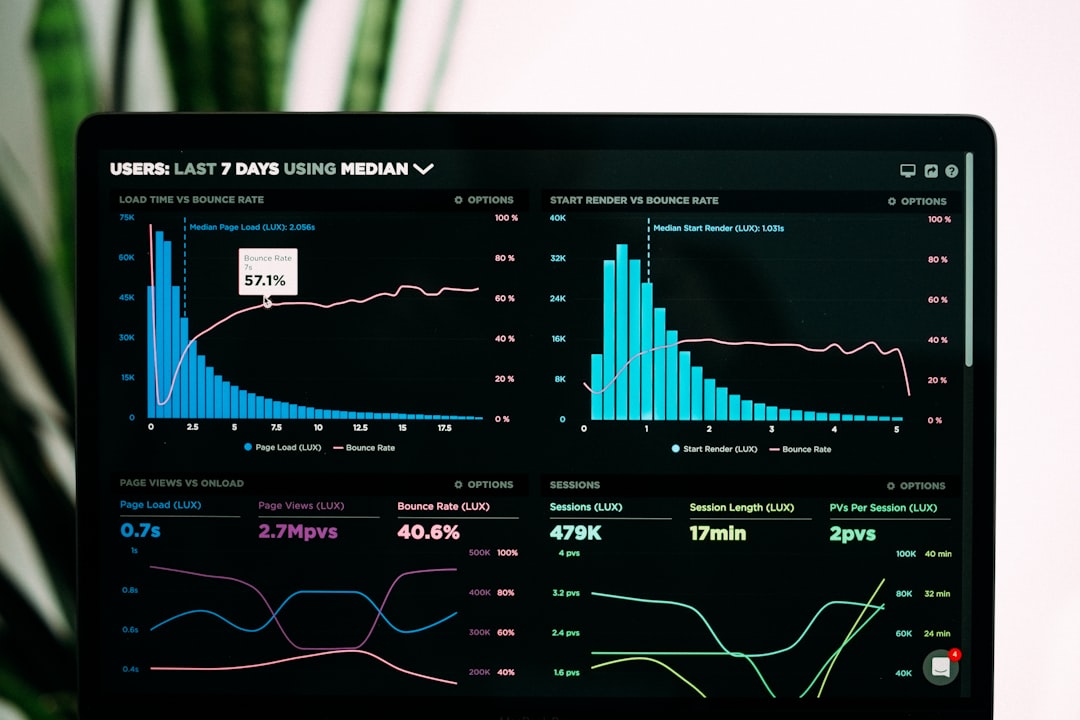
Security teams need visibility into how stored data is being used. Audit logs reveal access patterns, permission changes, sharing events, downloads, deletions, and administrative actions. When combined with analytics, these logs can identify suspicious behavior.
For example, a user downloading thousands of files at midnight, accessing records outside their department, or sharing confidential folders with an unknown external address may indicate compromise or insider misuse. Advanced secure storage tools can generate real-time alerts, integrate with incident response workflows, and even automatically revoke access when risk thresholds are exceeded.
Choosing the Right Secure Storage Solution
Selecting a secure storage tool should begin with a clear understanding of your organization’s needs. Start by identifying what data you store, where it resides, who needs access, which regulations apply, and what risks are most serious. A small creative agency, a hospital network, and a financial services firm will not have identical requirements.
When evaluating vendors, consider the following questions:
- Security model: Does the solution support strong encryption, key management, multi-factor authentication, and least-privilege access?
- Compliance support: Does it provide reports, certifications, retention policies, and audit logs aligned with your obligations?
- Usability: Will employees actually use it correctly, or will they seek easier but less secure workarounds?
- Integration: Does it connect with your identity provider, endpoint tools, cloud platforms, and monitoring systems?
- Scalability: Can it grow with your data volume, user base, and geographic footprint?
- Recovery capabilities: Can it restore data quickly after deletion, corruption, outage, or ransomware?
- Vendor transparency: Does the provider clearly explain its security controls, incident response process, and service commitments?
Balancing Security and Productivity
The best secure storage tools do not simply create barriers; they support safer workflows. If controls are too restrictive, employees may bypass them by using personal cloud accounts, messaging apps, removable drives, or email attachments. If controls are too loose, sensitive data may spread uncontrollably.
The goal is a practical balance: strong protection for critical information, simple collaboration for everyday work, and clear guidance for users. Training is a major part of this balance. Employees should understand how to classify data, share files securely, report suspicious activity, and avoid common mistakes.
The Future of Secure Storage
Secure storage is evolving quickly. Artificial intelligence is being used to classify files, detect abnormal behavior, and automate policy enforcement. Confidential computing is helping protect data while it is being processed, not just while it is stored or transmitted. Privacy-enhancing technologies are making it possible to analyze information while minimizing exposure of personal data.
At the same time, attackers are becoming more sophisticated, and regulations are becoming more demanding. Organizations will need storage tools that are adaptive, transparent, and deeply integrated into broader security programs.
Final Thoughts
Secure storage tools are no longer just an IT convenience; they are a business necessity. They protect valuable information, support regulatory compliance, improve resilience, and help maintain trust with customers, partners, and employees. Whether data lives in the cloud, on premises, or across a hybrid environment, it must be encrypted, governed, monitored, backed up, and accessible only to the right people.
Ultimately, secure storage is not a single product or one-time project. It is an ongoing discipline that combines technology, policy, process, and culture. Organizations that treat data protection as a strategic priority will be better prepared for audits, attacks, outages, and the growing expectations of a privacy-conscious world.