
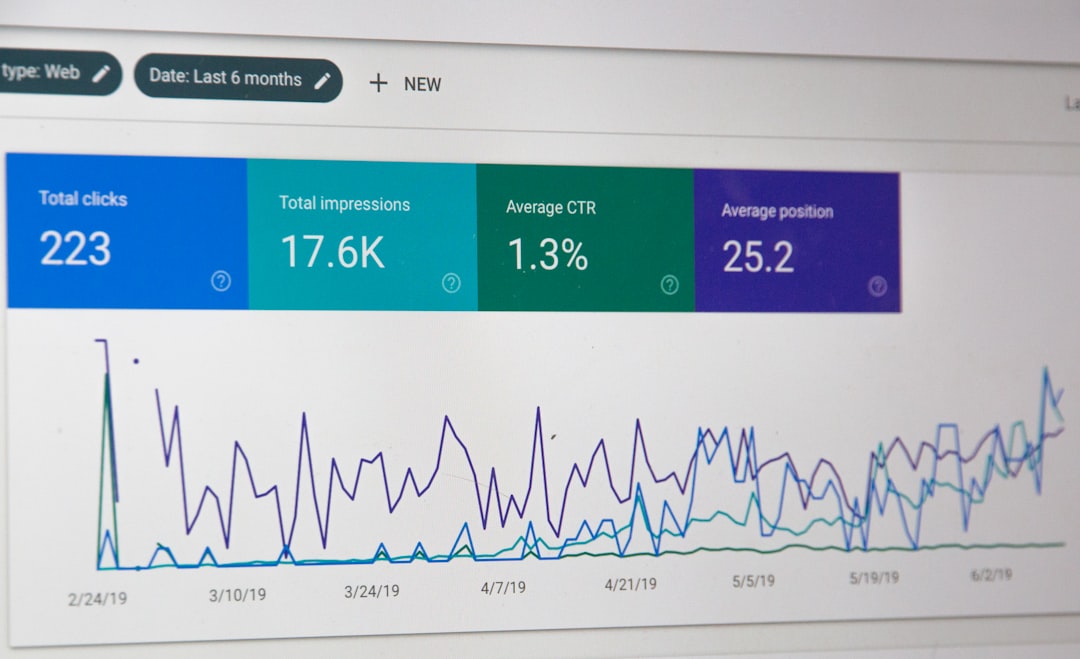
For many SEO professionals, spreadsheets remain the quiet command center behind successful campaigns. While dedicated SEO platforms are useful, Excel SEO tools give analysts, consultants, and in-house teams the flexibility to clean data, compare rankings, audit websites, forecast traffic, and build reports in one familiar workspace.
TLDR: Excel is still one of the most valuable tools in an SEO professional’s toolkit because it turns messy data into clear insights. With formulas, pivot tables, Power Query, and add-ins, SEO teams can analyze keywords, backlinks, technical issues, and content performance quickly. The best spreadsheet tools are those that reduce repetitive work, improve accuracy, and make SEO reporting easier to understand.
Why Excel Still Matters for SEO
SEO involves large amounts of data from different sources: keyword tools, Google Search Console, Google Analytics, crawlers, rank trackers, backlink platforms, and content inventories. Excel helps bring these sources together so professionals can sort, filter, compare, and interpret the information.
Although many SEO platforms include dashboards, they do not always allow the level of customization required for complex analysis. Excel gives users control over exactly how data is structured. It is especially helpful for agencies managing multiple clients, enterprise teams reviewing thousands of URLs, and consultants preparing custom recommendations.
1. Excel Formulas for SEO Analysis
Excel formulas are the foundation of most spreadsheet-based SEO workflows. They allow professionals to clean exports, identify patterns, and create useful calculations without manually reviewing every row.
Some of the most useful formulas for SEO include:
- VLOOKUP and XLOOKUP: Used to match keyword rankings, URLs, search volumes, or metadata across different reports.
- IF statements: Helpful for creating rules, such as identifying pages with missing title tags or keywords below a certain ranking position.
- COUNTIF and COUNTIFS: Useful for counting duplicate titles, repeated keywords, indexation issues, or URL patterns.
- TEXT functions: Functions such as LEFT, RIGHT, MID, LEN, and CONCAT help clean URLs, titles, and meta descriptions.
- TRIM and CLEAN: Essential for removing hidden spaces and formatting problems from imported SEO data.
For example, an SEO professional can use LEN to check title tag length, COUNTIF to find duplicate meta descriptions, and XLOOKUP to combine crawl data with organic traffic metrics. These simple formulas can save hours during technical audits and content reviews.
2. Pivot Tables for Keyword and URL Insights
Pivot tables are among the most powerful Excel SEO tools because they summarize large datasets in seconds. Instead of scrolling through thousands of rows, an analyst can group data by keyword category, landing page, device type, country, or search intent.
Common SEO uses for pivot tables include:
- Summarizing keyword rankings by category or page.
- Grouping traffic by landing page or content type.
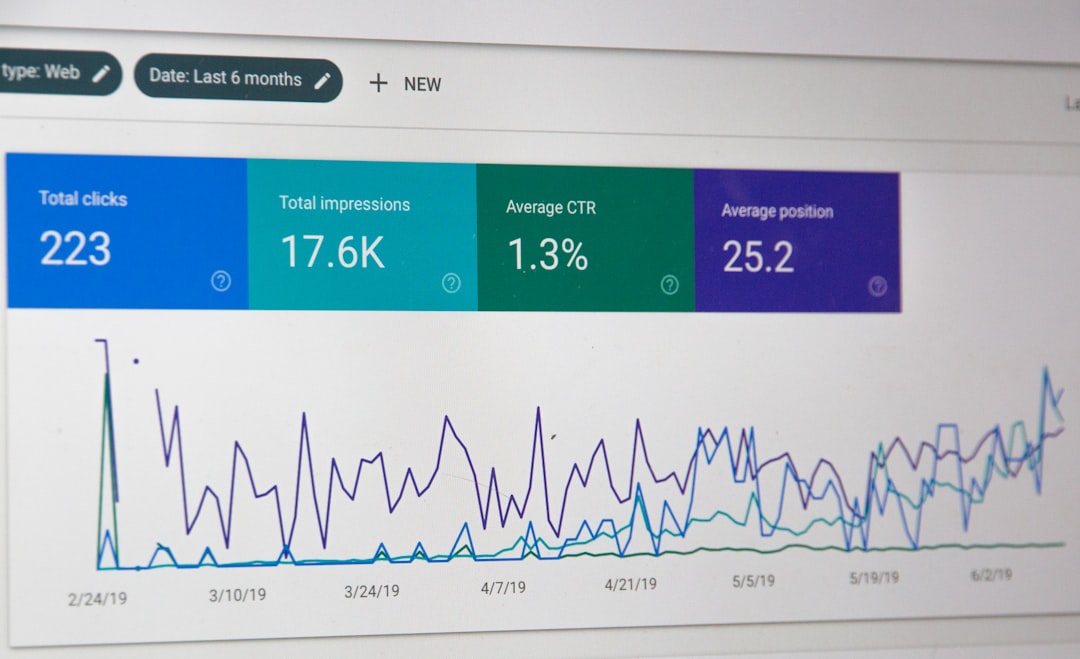
- Comparing impressions, clicks, and click-through rate from Google Search Console.
- Reviewing crawl errors by status code, folder, or URL type.
- Identifying high-impression keywords with low CTR.
Pivot tables are especially valuable when reviewing content performance. An SEO team can export Search Console data, group queries by landing page, and determine which pages attract the most impressions but fail to generate clicks. This can guide title tag rewrites, content updates, and internal linking improvements.
3. Power Query for Cleaning SEO Data
Power Query is one of Excel’s best features for SEO professionals who regularly work with messy exports. It allows users to import, transform, combine, and refresh data from multiple sources. Instead of repeating the same cleanup steps every week, Power Query can automate them.
SEO teams can use Power Query to:
- Combine multiple crawl exports into one master file.
- Remove duplicate URLs from large datasets.
- Split URLs into domains, subfolders, and slugs.
- Standardize keyword formatting across reports.
- Merge Search Console, Analytics, and crawl data.
This is particularly useful for recurring monthly reports. Once Power Query is configured, the user can update the source files and refresh the workbook. The cleaned report is generated automatically, reducing manual errors and improving consistency.

4. Conditional Formatting for Fast SEO Checks
Conditional formatting turns spreadsheets into visual audit tools. By applying color rules, SEO professionals can quickly spot problems, opportunities, and outliers.
For example, conditional formatting can highlight:
- Title tags longer than 60 characters.
- Meta descriptions shorter than 120 characters.
- Pages with zero organic clicks.
- Keywords that dropped in ranking position.
- URLs returning 404 or 500 status codes.
Color-coded spreadsheets are also easier for stakeholders to understand. A marketing manager may not want to review raw crawl data, but a sheet with red, yellow, and green issue indicators can make priorities clear. This makes conditional formatting useful not only for analysis but also for communication.
5. Excel Add-ins for SEO Professionals
Excel add-ins can extend the platform’s functionality and connect it to external data sources. While available tools vary over time, SEO professionals often look for add-ins that help with API connections, data scraping, reporting, and analytics imports.
Common types of SEO-related Excel add-ins include:
- Analytics connectors: These help import Google Analytics or similar performance data into spreadsheets.
- Search Console connectors: These simplify query, page, country, and device analysis.
- API tools: These allow users to pull data from SEO software, backlink databases, or rank trackers.
- Web scraping tools: These can collect page titles, headings, schema elements, or on-page content for review.
When choosing add-ins, SEO professionals should consider data privacy, update frequency, compatibility, and whether the tool supports the required APIs. The best add-in is not always the most complex one; it is the one that fits the team’s reporting and analysis workflow.
6. Templates for SEO Reporting and Audits
Excel templates save time by providing ready-made structures for common SEO tasks. A strong template can turn a blank workbook into a repeatable process.
Popular SEO spreadsheet templates include:
- Keyword research templates for tracking search volume, keyword difficulty, intent, and priority.
- Content audit templates for evaluating page performance, freshness, word count, and optimization status.
- Technical audit templates for tracking crawl errors, metadata issues, canonicals, redirects, and indexability.
- Backlink review templates for organizing referring domains, anchor text, authority metrics, and link quality.
- SEO reporting templates for monthly visibility, traffic, conversion, and ranking summaries.
A good template should be flexible. SEO professionals should be able to add custom columns, change scoring systems, and adapt it to different industries or website sizes.
7. Forecasting SEO Growth in Excel
Excel is also useful for forecasting organic traffic and estimating the impact of SEO campaigns. While forecasts are never guaranteed, they help teams set expectations and prioritize investments.
An SEO professional may build a forecast using current rankings, search volume, expected click-through rates, and target position improvements. For example, if a page ranks in position eight for a high-volume keyword, Excel can model potential traffic if the page improves to position three.
Forecasting spreadsheets can also estimate content production ROI, compare keyword groups, and show how technical improvements might affect traffic over time. These models help SEO teams communicate opportunities to executives and clients in financial terms.

8. Best Practices for Using Excel in SEO
To get the most from Excel SEO tools, professionals should follow a few practical rules:
- Keep raw data separate from processed data to preserve original exports.
- Use clear column names so reports are easy to understand later.
- Document formulas when workbooks are shared with clients or team members.
- Avoid unnecessary manual edits that make reports difficult to refresh.
- Use filters and tables to keep large datasets organized.
- Validate data sources before making conclusions from combined reports.
Excel is most effective when it supports a repeatable process. Well-organized workbooks reduce confusion, improve collaboration, and make SEO insights easier to defend.
Final Thoughts
Excel remains one of the best spreadsheet tools for SEO professionals because it is flexible, powerful, and widely understood. From keyword research and technical audits to reporting and forecasting, it helps transform raw data into practical recommendations. Dedicated SEO platforms may collect the data, but Excel often helps professionals make sense of it.
For SEO teams that want greater efficiency, the most valuable skills are not necessarily advanced programming or complex automation. Often, they are a strong understanding of formulas, pivot tables, Power Query, templates, and clear reporting structure. With these spreadsheet tools, SEO professionals can work faster, present stronger insights, and make better optimization decisions.
FAQ
What are Excel SEO tools?
Excel SEO tools are formulas, features, templates, and add-ins used inside Microsoft Excel to analyze SEO data. They help with keyword research, audits, reporting, forecasting, and data cleaning.
Is Excel better than SEO software?
Excel is not a replacement for SEO software, but it complements it. SEO platforms collect data, while Excel allows professionals to customize analysis, combine sources, and build tailored reports.
Which Excel feature is most useful for SEO?
Pivot tables, Power Query, and lookup formulas are among the most useful features. They help summarize large datasets, clean messy exports, and match information from different SEO reports.
Can Excel be used for technical SEO audits?
Yes. Excel can organize crawl data, identify duplicate metadata, highlight status code issues, review canonicals, and prioritize technical fixes.
Do SEO professionals need advanced Excel skills?
Advanced skills are helpful, but not always required. A strong grasp of formulas, filters, tables, pivot tables, and conditional formatting is enough for many SEO workflows.