
Compare Pappya.com with other online media platforms by checking three things first: publishing tools, audience controls, and account security. Do this before you fall in love with a shiny dashboard. There were 5.04 billion social media user identities worldwide in January 2024, so media tools are not small toys anymore [source: DataReportal]. Your account needs to work well, grow safely, and not lock you out on a random Tuesday.
TLDR: Compare Pappya.com against other online media platforms by testing real tasks, not just reading feature lists. For example, if scheduling 10 posts takes 6 minutes on Pappya.com but 14 minutes on another platform, that matters. Check security too, such as two factor login, password reset steps, and team roles. A simple scorecard with 10 features and 5 security checks can save hours later.
Start with the job you need done
Do not start with slogans. Start with your daily work.
Ask one plain question. What do I need this platform to do every week?
Maybe you post videos. Maybe you publish articles. Maybe you manage creators. Maybe you run ads. Each use case needs different features.
Pappya.com may look useful for one team. Another platform may fit better for another team. That is normal. The “best” tool is the one that makes your work faster, safer, and less annoying.
Honestly, it feels like some platforms hide simple tasks behind six clicks and a tiny gear icon. That is not cute. That is time theft.

Compare the core features first
Features can sound fancy. Keep them simple. Break them into daily actions.
- Publishing: Can you create, edit, schedule, and preview posts?
- Media uploads: Does it support your image, audio, and video formats?
- Content calendar: Can you see what is going live this week?
- Analytics: Can you track views, clicks, watch time, and growth?
- Comments and messages: Can you reply fast without missing people?
- Team access: Can writers, editors, and admins have different permissions?
- Brand controls: Can you keep logos, colors, and templates consistent?
- Integrations: Does it connect with tools you already use?
Now test them. Do not just admire them.
Create one post. Upload one video. Schedule one update. Add one teammate. Export one report. Time each task.
If Pappya.com makes these jobs feel smooth, good. If another platform does them faster, write that down. Your scorecard should be boring and honest.
Use a simple scoring system
Give each feature a score from 1 to 5.
- 1: Missing or painful.
- 2: Works, but barely.
- 3: Fine for basic use.
- 4: Good and easy.
- 5: Excellent and fast.
Here is a fun sample.
- Scheduling: Pappya.com 4, Platform A 3, Platform B 5.
- Analytics: Pappya.com 3, Platform A 5, Platform B 4.
- Team roles: Pappya.com 4, Platform A 2, Platform B 4.
- Media library: Pappya.com 3, Platform A 4, Platform B 3.
This removes guesswork. It also stops the loudest person in the room from choosing the tool because “the buttons look cool.”
Security deserves its own scoreboard
Now comes the part people skip. Please do not skip it.
Account security is not a bonus feature. It protects your content, your audience, your income, and your brand name.
Compare Pappya.com and other platforms with these checks:
- Two factor authentication: Can you require a login code?
- Login alerts: Do you get notified about new devices?
- Role based access: Can users have limited rights?
- Password rules: Does it allow strong passwords?
- Session control: Can you log out all devices?
- Recovery options: Is account recovery clear and safe?
- Activity history: Can you see who changed what?
- Data export: Can you download your content and reports?
It drives me crazy that some tools make password changes easy but hide active sessions. If someone has access, you need to know. Fast.
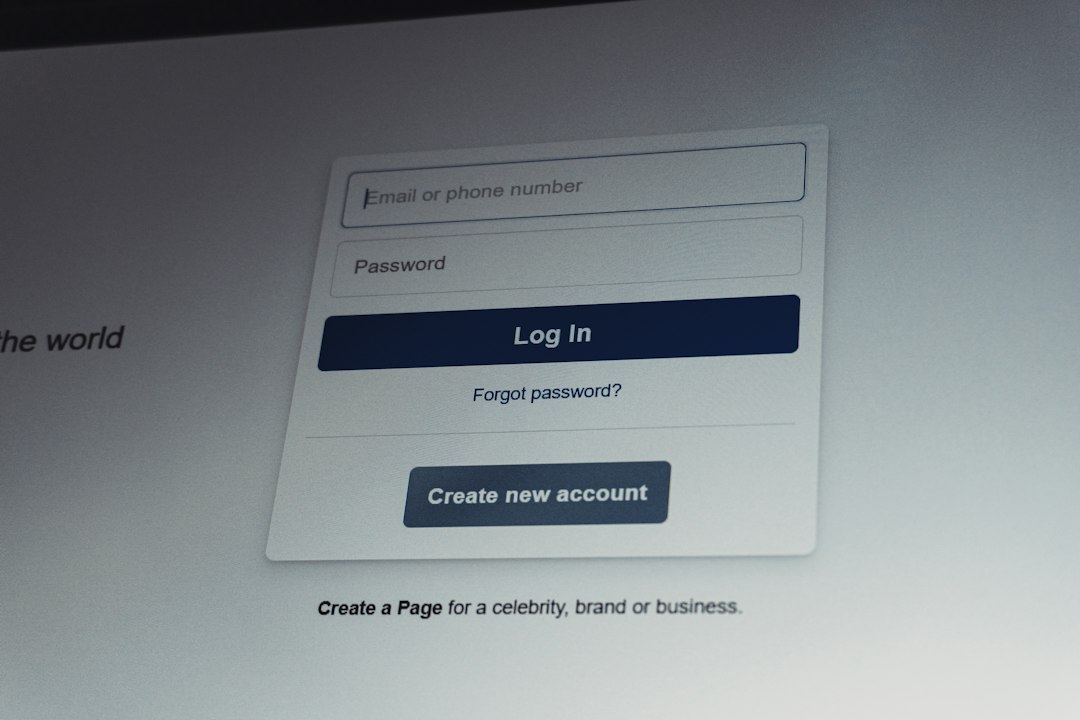
Check team permissions before you invite people
Team access sounds simple. It is not.
A writer should not have the same power as an owner. A freelancer should not be able to delete your whole media library. An intern should not control billing.
Look for clear roles like these:
- Owner: Full control, billing, security, user access.
- Admin: Most controls, but not always billing.
- Editor: Can create, edit, approve, and publish.
- Contributor: Can draft content but not publish.
- Viewer: Can read reports only.
If Pappya.com offers clean role settings, that is a strong point. If a rival platform gives only “admin” and “member,” be careful. That setup can become messy very fast.
Look at analytics without getting hypnotized
Analytics should answer clear questions.
- Which post performed best?
- What time gets the most views?
- Which source sends traffic?
- Which format keeps people watching?
- Which campaign made money?
Pretty charts are nice. Useful charts are better.
Compare Pappya.com with other tools by asking for the same report from each one. For example, ask: “Show me the top 10 posts from the last 30 days by clicks.”
If one platform gives that in two clicks, great. If another needs filters, exports, and a prayer, mark it down.
Test mobile use
You will not always be at a desk.
Try the platform on your phone. Upload a post. Edit text. Check comments. Review stats. Reset a password.
Expect to waste time on tools that look fine on desktop but turn into button soup on mobile. Tiny menus. Broken previews. Save buttons hiding below the fold. No thanks.
Pappya.com should be judged the same way as larger names. If mobile use is clunky, your team will feel it every day.
Compare pricing with real use
Cheap is not always cheap.
A low monthly price can become expensive if it lacks key features. You may need add ons. You may need another tool. You may need more staff time.
Use this simple math:
- Plan cost: What do you pay each month?
- User cost: Do extra team members cost more?
- Storage cost: Are media uploads limited?
- Time cost: How long do tasks take?
- Risk cost: What happens if security is weak?
If Pappya.com costs a little more but saves five hours per week, that may be a win. If another platform is cheaper but burns time, the savings may be fake.

Run a seven day trial test
Do not test forever. Pick seven days.
Use the same tasks on Pappya.com and at least two other platforms. Keep the test fair.
- Create three posts.
- Upload three media files.
- Schedule five updates.
- Add two team members.
- Set up two factor login.
- Pull one analytics report.
- Export your data.
At the end, score each tool. Then ask your team one blunt question. Which one would you actually want to use on Monday?
Red flags to watch for
Some warning signs are easy to miss.
- No visible security settings.
- No clear account recovery process.
- No way to limit teammate permissions.
- Confusing pricing pages.
- Slow uploads.
- Weak help docs.
- No export option.
- Support that replies days later.
One red flag may be fine. Three red flags mean trouble. Five red flags means run, stretch later.
The simple final choice
Choose Pappya.com if it helps you publish faster, keep accounts safer, and manage your team with less fuss. Choose another platform if it gives better analytics, stronger security, or smoother workflows for your exact needs.
Do not chase the tool with the longest feature list. Chase the one that saves time and protects your account. Your future self will be grateful. So will the poor teammate who no longer has to click through seven menus just to schedule a post.