

Home services management software is the fastest way for a growing service business to stop losing jobs, hours, and cash to messy scheduling. If your team handles plumbing, HVAC, cleaning, landscaping, pest control, roofing, electrical work, appliance repair, or similar field services, the right system can turn scattered calls, texts, spreadsheets, and paper invoices into one clean workflow.
TLDR: Home services management software helps growing businesses book jobs, dispatch technicians, send quotes, invoice customers, and track performance from one place. A five-person HVAC company, for example, might cut scheduling time by 35% and reduce missed appointments from 8 per month to 2 after moving away from spreadsheets. The best platform should be simple for office staff, useful for field teams, and clear enough to show where money is being made or lost. Start with scheduling, mobile access, payments, and reporting before chasing advanced extras.
What Is Home Services Management Software?
Home services management software is a digital tool built to run field-based service work. It connects the office, technicians, customers, and managers. Instead of using five different systems, one platform handles the full job cycle.
That cycle usually includes:
- Customer requests from calls, emails, forms, or apps
- Job scheduling based on location, skill, and availability
- Dispatching technicians with job details
- Quotes and estimates sent before work starts
- Mobile updates from the field
- Invoices and payments after completion
- Reports on revenue, productivity, and customer history
For small businesses, this may sound like overkill. Then growth hits. More calls come in. Two vans become six. One dispatcher becomes three. Suddenly, a forgotten job is not a small mistake. It is a lost customer, a bad review, and a technician sitting idle.

Why Growing Businesses Need It
Growth exposes weak systems. A spreadsheet may work when the owner handles every job. It breaks when several people update it at once. Whiteboards are worse. They look useful until someone forgets to erase a canceled appointment.
It drives me crazy that many service businesses still rely on sticky notes for high-value jobs. One missed installation can cost more than a month of software fees.
The main value of home services management software is control. Owners get a clear view of the day. Dispatchers know who is free. Technicians know where to go. Customers get reminders instead of silence.
Good software can also improve profit. If a plumbing business completes 120 jobs per month and saves just 12 minutes per job on admin work, that equals 24 labor hours saved monthly. That is three full workdays back. Not bad for fixing one messy process.
Core Features to Look For
Not every platform is worth your time. Some tools feel packed with features but make simple tasks take too many clicks. A good system should make daily work faster, not turn every invoice into a puzzle.
- Smart scheduling: Drag-and-drop calendars, recurring jobs, crew assignments, and route planning.
- Dispatch tools: Send job details, customer notes, photos, and addresses to technicians in real time.
- Mobile app: Field teams should clock in, update job status, collect signatures, upload photos, and take payments from a phone or tablet.
- Customer management: Store job history, contact details, equipment records, warranties, and past invoices.
- Estimating: Create professional quotes with parts, labor, options, and approval buttons.
- Invoicing and payments: Send invoices by email or text and accept cards, ACH, or online payments.
- Automated reminders: Reduce no-shows with appointment confirmations and follow-up messages.
- Reporting: Track revenue, close rates, job costs, technician performance, and repeat customers.
The best tools also connect with accounting platforms, phone systems, websites, and marketing apps. This reduces duplicate entry. Nobody wants to type the same customer name into three separate screens.
How It Helps Different Teams
Owners get visibility. They can see open jobs, unpaid invoices, technician output, and sales trends without chasing staff for updates.
Office teams get fewer interruptions. Job information lives in one place, so they spend less time asking, “Did anyone call Mrs. Parker back?”
Technicians get clearer instructions. They can see photos, notes, gate codes, equipment models, and job steps before arrival. That means fewer return trips.
Customers get a smoother experience. They receive reminders, technician arrival updates, digital quotes, and easy payment links. That feels modern and professional.

Signs You Are Ready for Software
You do not need to wait until everything feels broken. In fact, waiting too long usually makes the switch harder.
Your business is probably ready if:
- You miss calls or forget to follow up on quote requests.
- Your schedule changes several times a day.
- Technicians call the office for basic job details.
- Invoices go out late.
- You cannot quickly see which jobs are profitable.
- Customer history is split between notebooks, inboxes, and memory.
- You plan to add more trucks, crews, or service areas.
Honestly, it feels painful to pay for software when margins are tight. But the bigger cost is hidden. Late invoices hurt cash flow. Poor scheduling wastes fuel. Weak follow-up loses repeat work.
Common Mistakes When Choosing a Platform
The first mistake is buying software only because it has a long feature list. More features do not always mean better results. If your team hates using it, it will fail.
The second mistake is ignoring the field team. A beautiful office dashboard means little if technicians cannot use the mobile app with one hand while standing in a basement with weak signal.
The third mistake is skipping setup. Customer records, service categories, price books, taxes, and templates all need care. Bad setup creates bad output.
The fourth mistake is choosing the cheapest tool without checking support. When scheduling breaks on a Monday morning, a slow help desk becomes very expensive.
How to Choose the Right Software
Start with your business model. A cleaning company with recurring visits has different needs than an HVAC company selling maintenance plans and emergency repairs.
Use this simple checklist:
- Map your workflow: Write down each step from first call to final payment.
- List your must-haves: Focus on the features you need now, not every possible future idea.
- Test the mobile app: Ask technicians to try it before buying.
- Check reporting: Make sure you can see revenue, unpaid invoices, job status, and team output.
- Review integrations: Confirm it works with your accounting and payment tools.
- Ask about onboarding: Training, data import, and support matter.
- Measure time savings: Compare current admin hours against expected savings.
A trial or live demo is worth the time. During the demo, use real examples. Try booking a job, changing the appointment, sending a quote, collecting payment, and creating a report. If basic tasks take too long, keep looking.
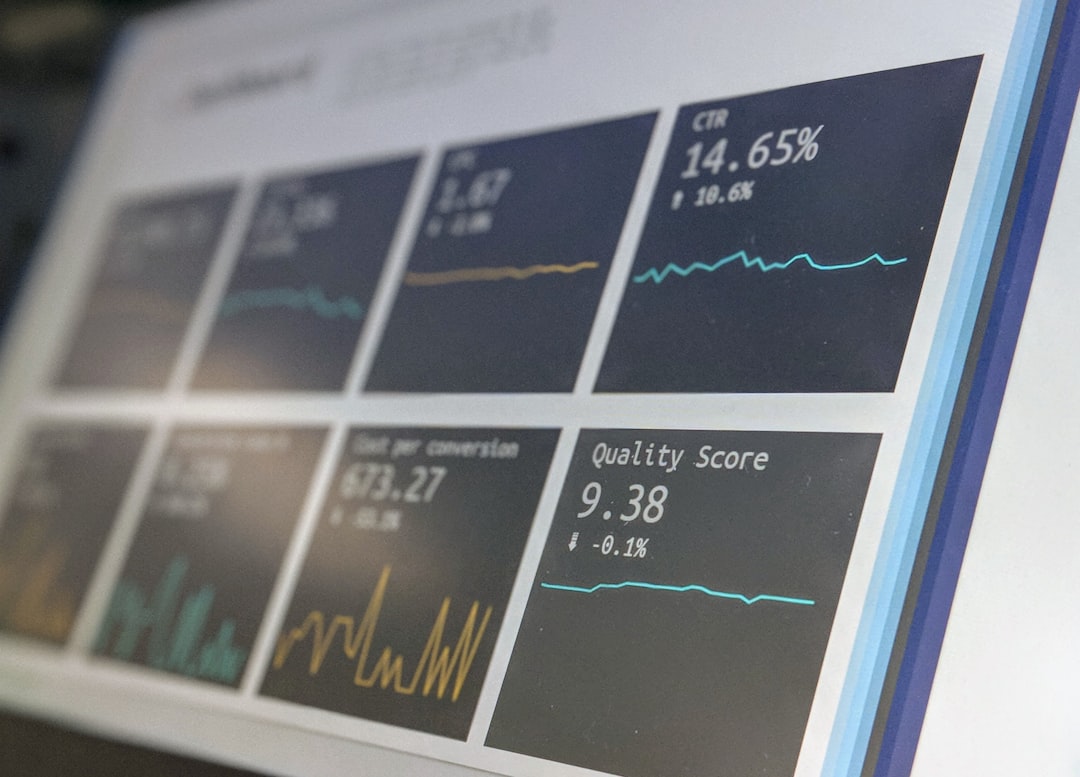
What Results Can You Expect?
Results vary, but the biggest gains often appear in three areas: scheduling, cash flow, and customer experience.
With better scheduling, teams can reduce drive time and fit more work into the same day. With faster invoicing, money arrives sooner. With reminders and updates, customers feel informed instead of ignored.
A growing electrical company might see these results after three months:
- 20% fewer customer calls asking for arrival times
- 15% faster invoice collection
- 10% more completed jobs per week due to better routing
- 25% fewer scheduling errors
Those numbers are not magic. They come from cutting routine friction. Less retyping. Less guessing. Less “Who has the file?” More work completed and billed.
Final Thoughts for Growing Service Businesses
Home services management software is not just an office upgrade. It is an operating system for the business. It helps owners protect profit, helps teams stay organized, and gives customers the smooth service they now expect.
The right choice should feel practical. It should reduce mess, not create a new one. Start with the work that causes the most pain. For many teams, that means scheduling, dispatch, invoicing, and payments. Fix those first, then add deeper reporting, memberships, marketing, and inventory as the business grows.
If your team is already busy, growth will not make messy systems easier. Software will not fix every problem, but it can give your business the structure it needs to grow without constant chaos.